English
  Français
  Español
  Polski
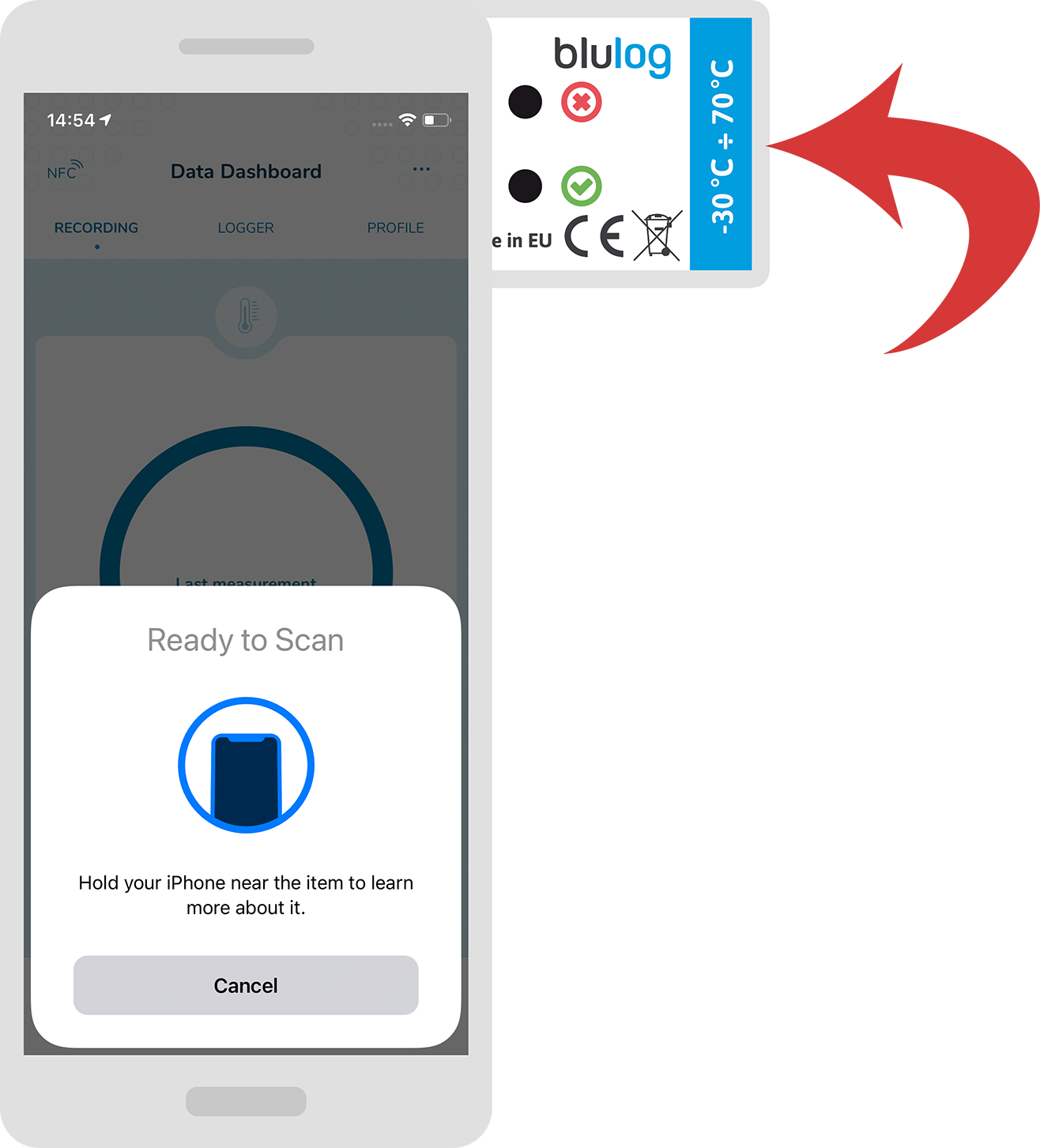
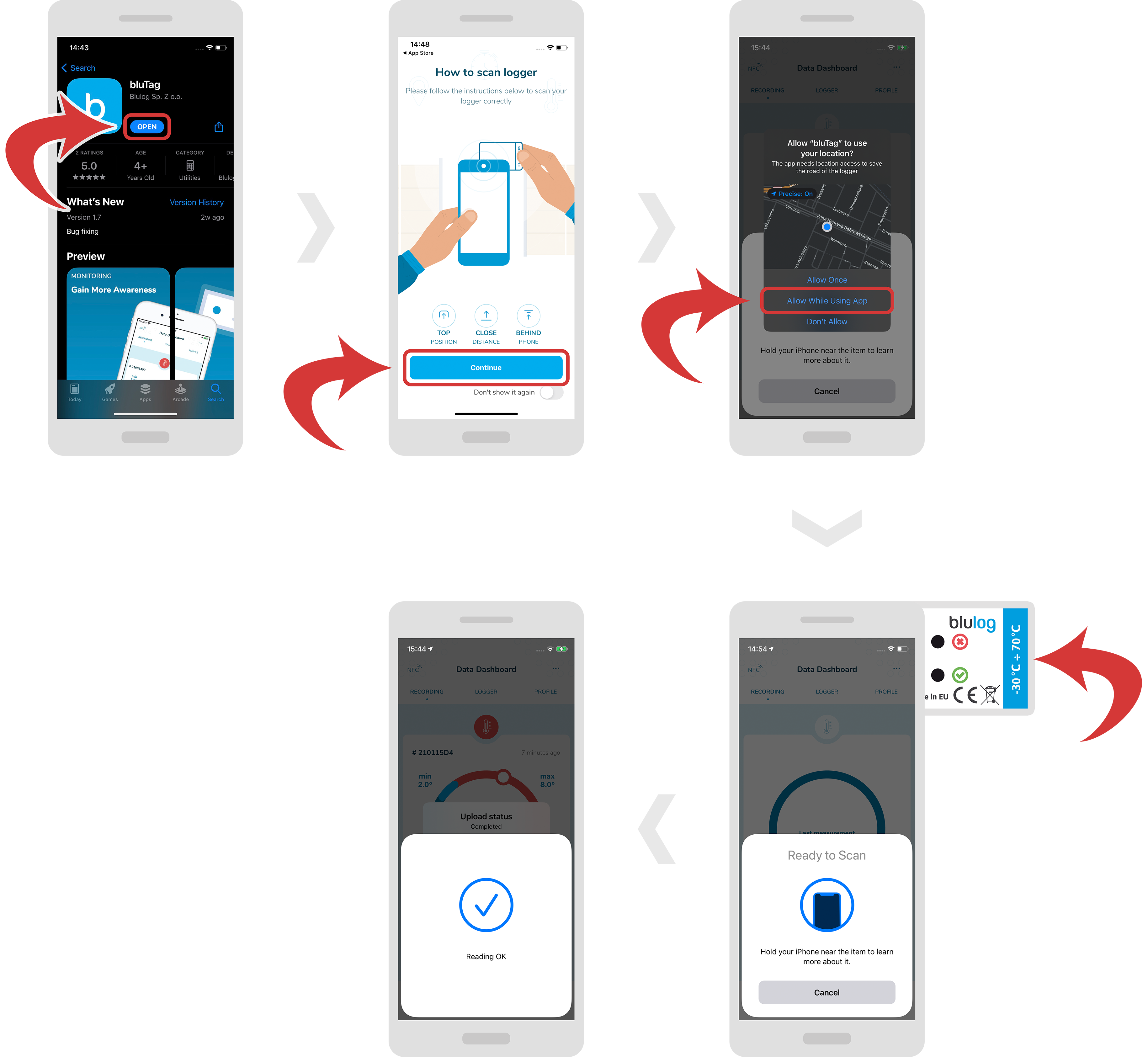
 - Open the bluTag app. First, you should be able to see the animations. Tap on the “Continue” button. Allow bluTag to use your location. Place your smartphone in contact with the logger. You should see a confirmation message.
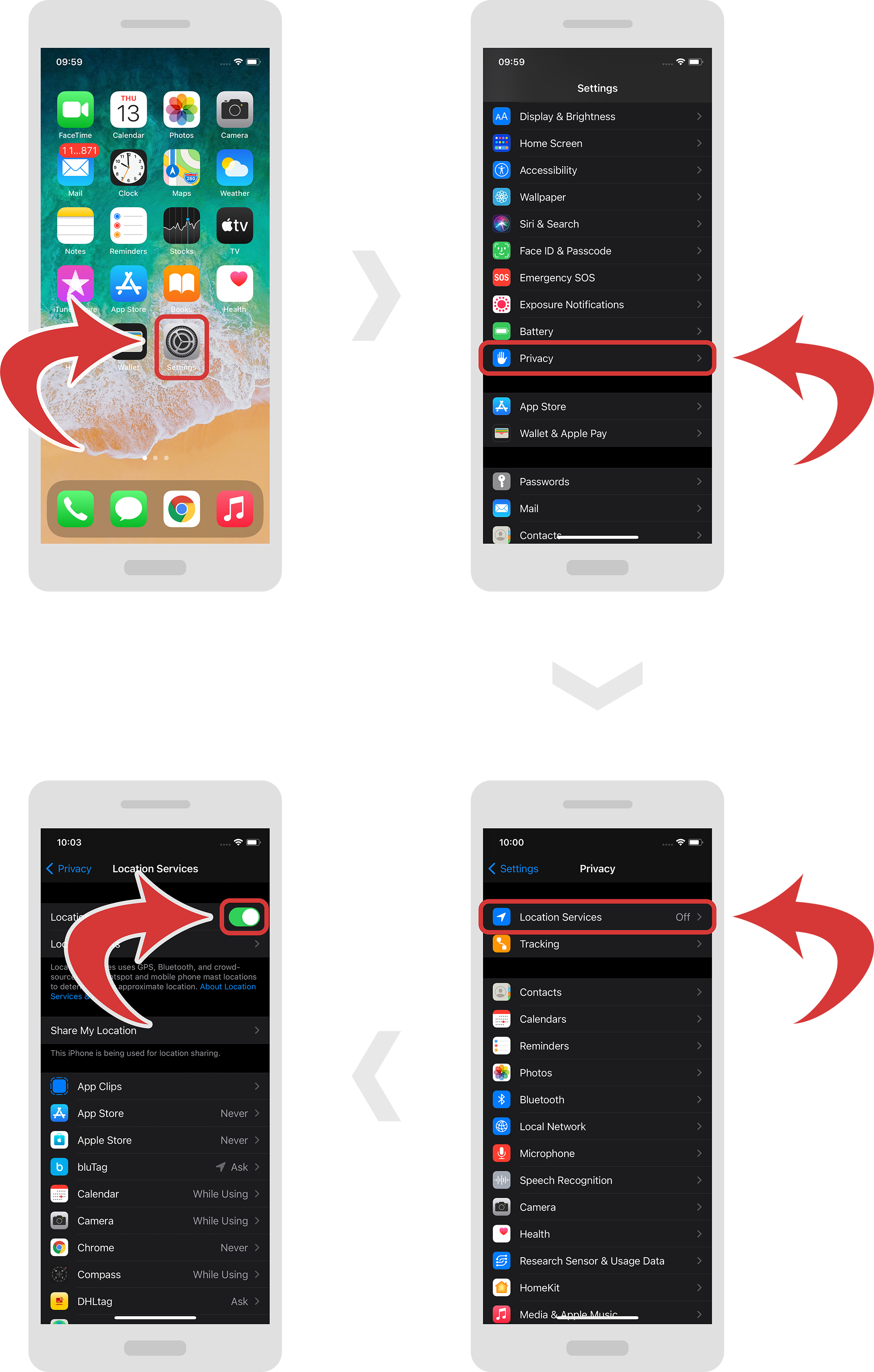
- In order to enable location services, just head over to “Settings”, “Privacy” and “Location Services”. Now you can turn them on.
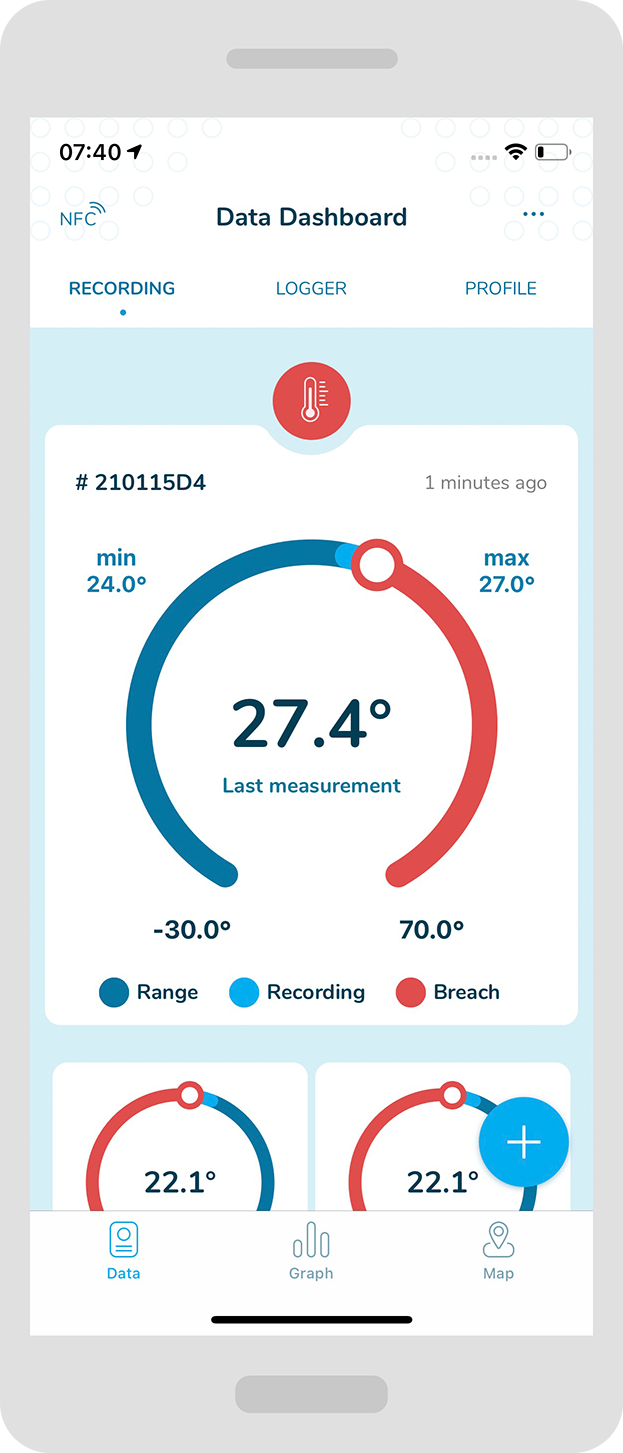
- Now you should be able to see a screen with more logger information (depending if the logger had some measurement or not you will see a different screen).
Following the next 2 parts of this instruction you will discover more ins and outs about the bluTag app.
LOGGER WITH NO
MEASUREMENT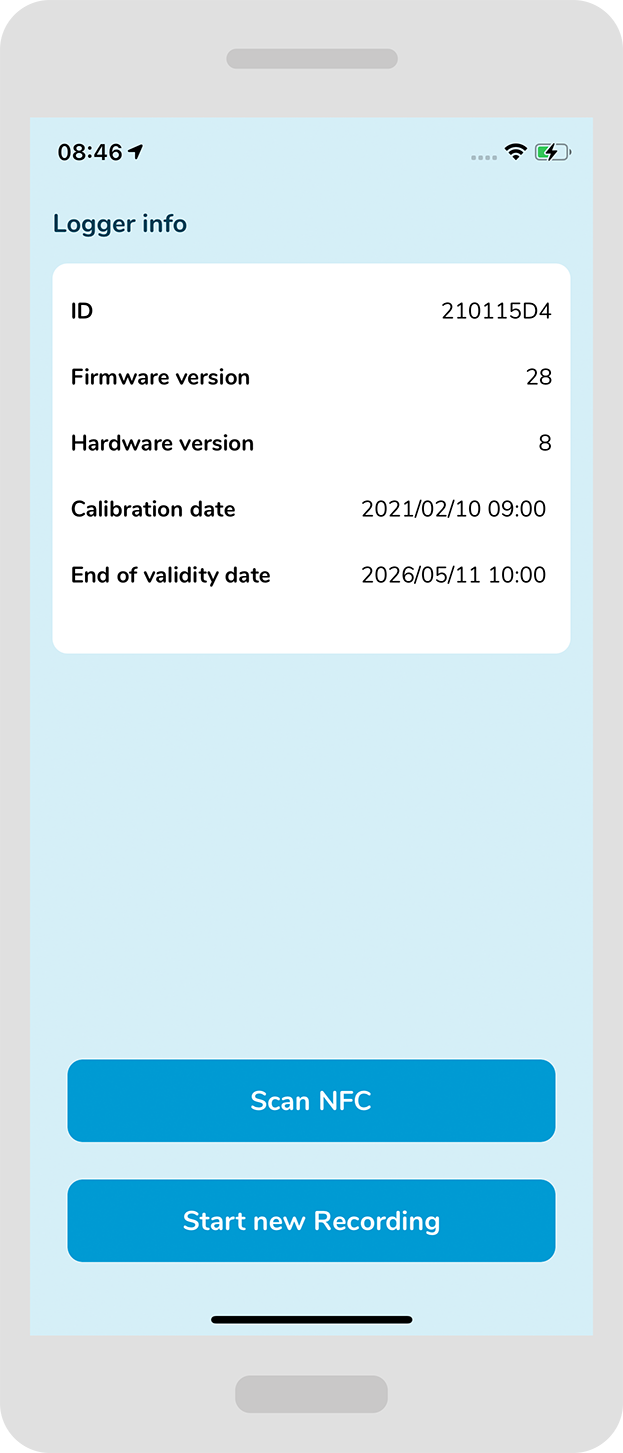
LOGGER WITH
MEASUREMENT