English
  Français
  Español
  Polski
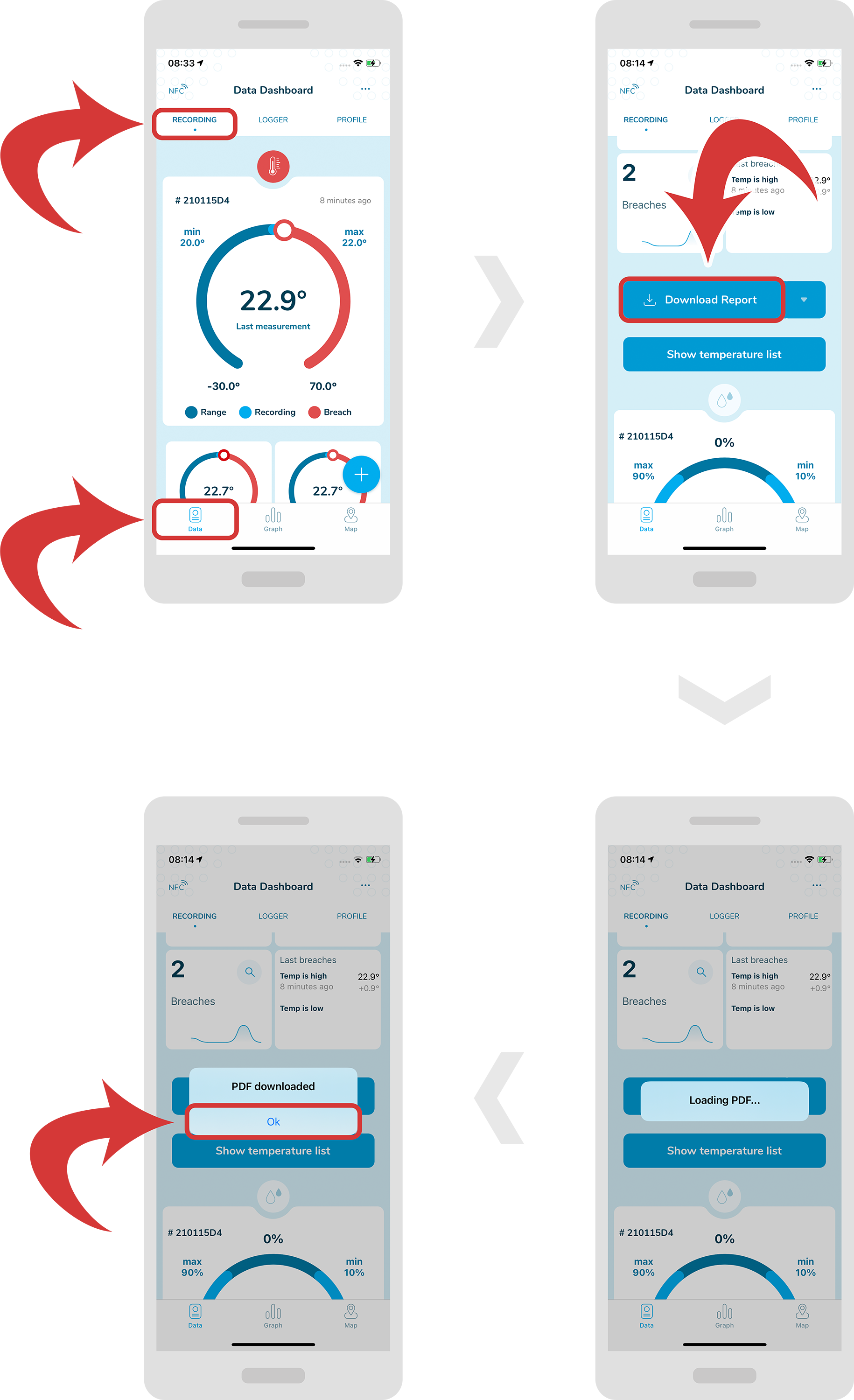
 Download report
- In order to download a report, first make sure you are inside a “Data Dashboard” page and you have selected a “Recording” tab.
- Now, scroll down and you should be able to see a “Download Report” button. Tap it, and you should be able to see the loading window.
- After it is finished, you should be able to see a confirmation window. Tap the “Ok” button.
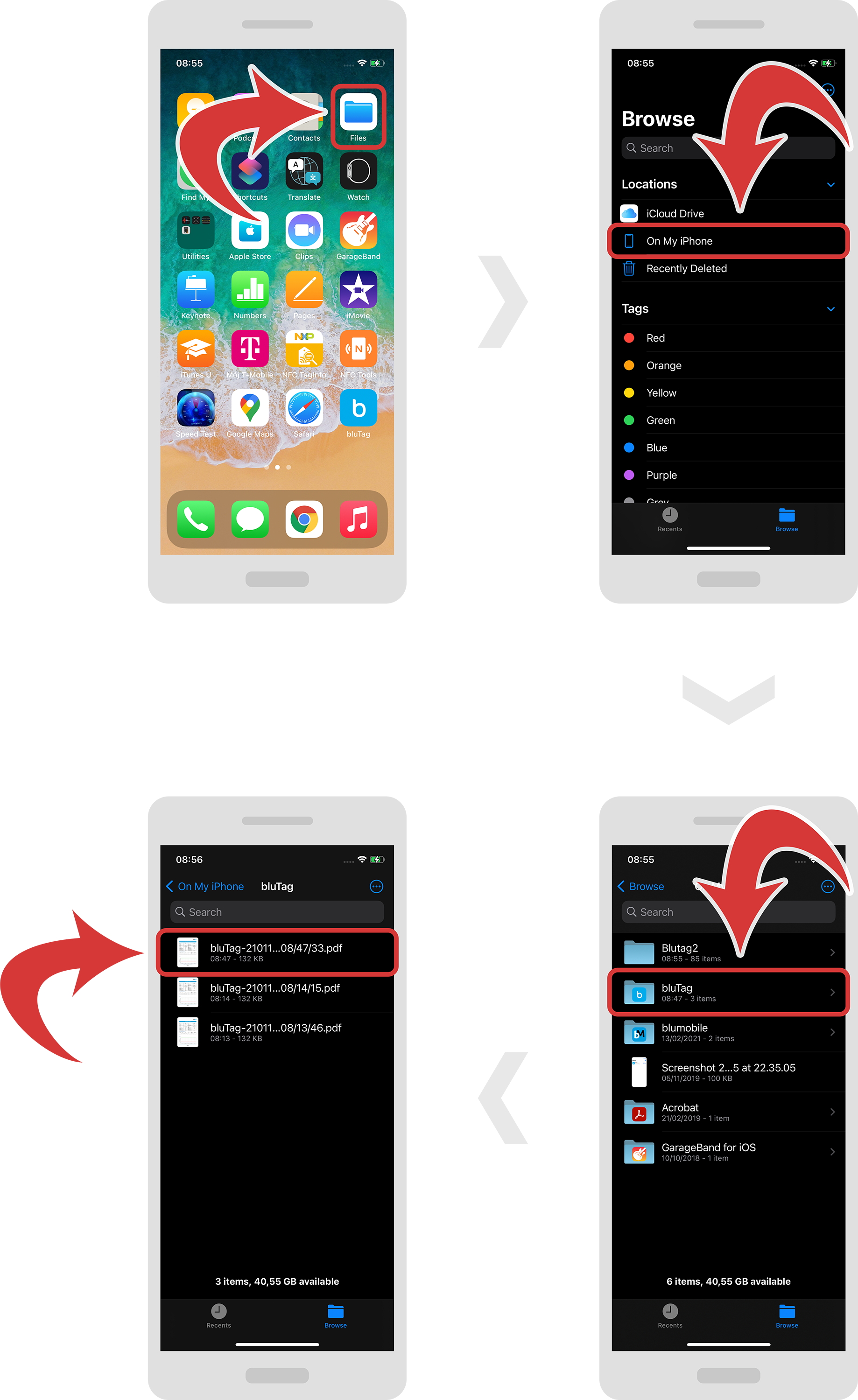
- Go to “Files”, “On My iPhone” and “bluTag” to access your report.
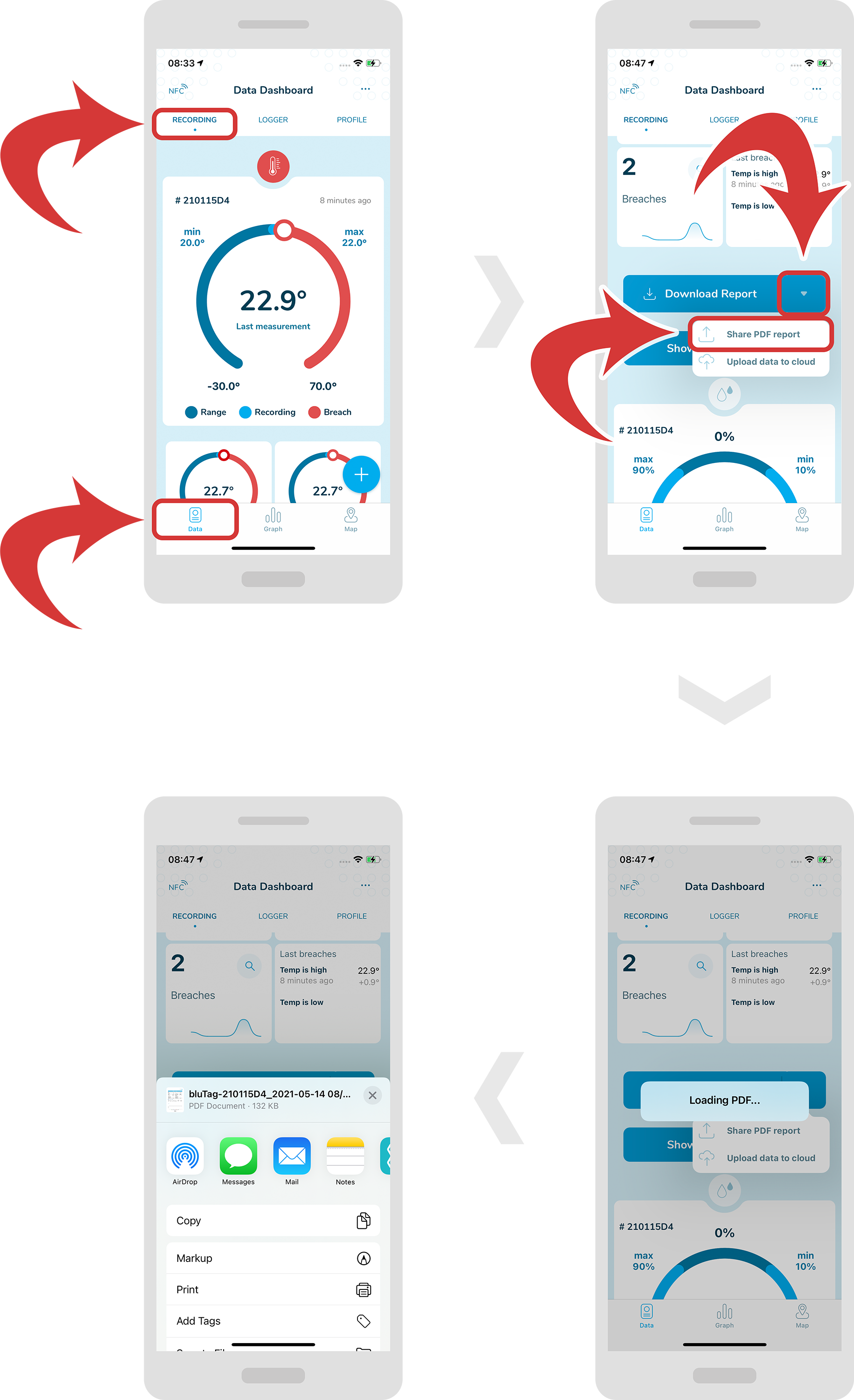
Share report
- In order to share a report, first make sure you are inside a “Data Dashboard” page and you have selected a “Recording” tab.
- Now, scroll down and you should be able to see a “Download Report” button. Tap on the down arrow at the right of the button and select “Share PDF report” from the dropdown menu.
-
You should be able to see the loading window. After it is finished, you should be able to share the report.