English
  Français
  Español
  Polski
 -
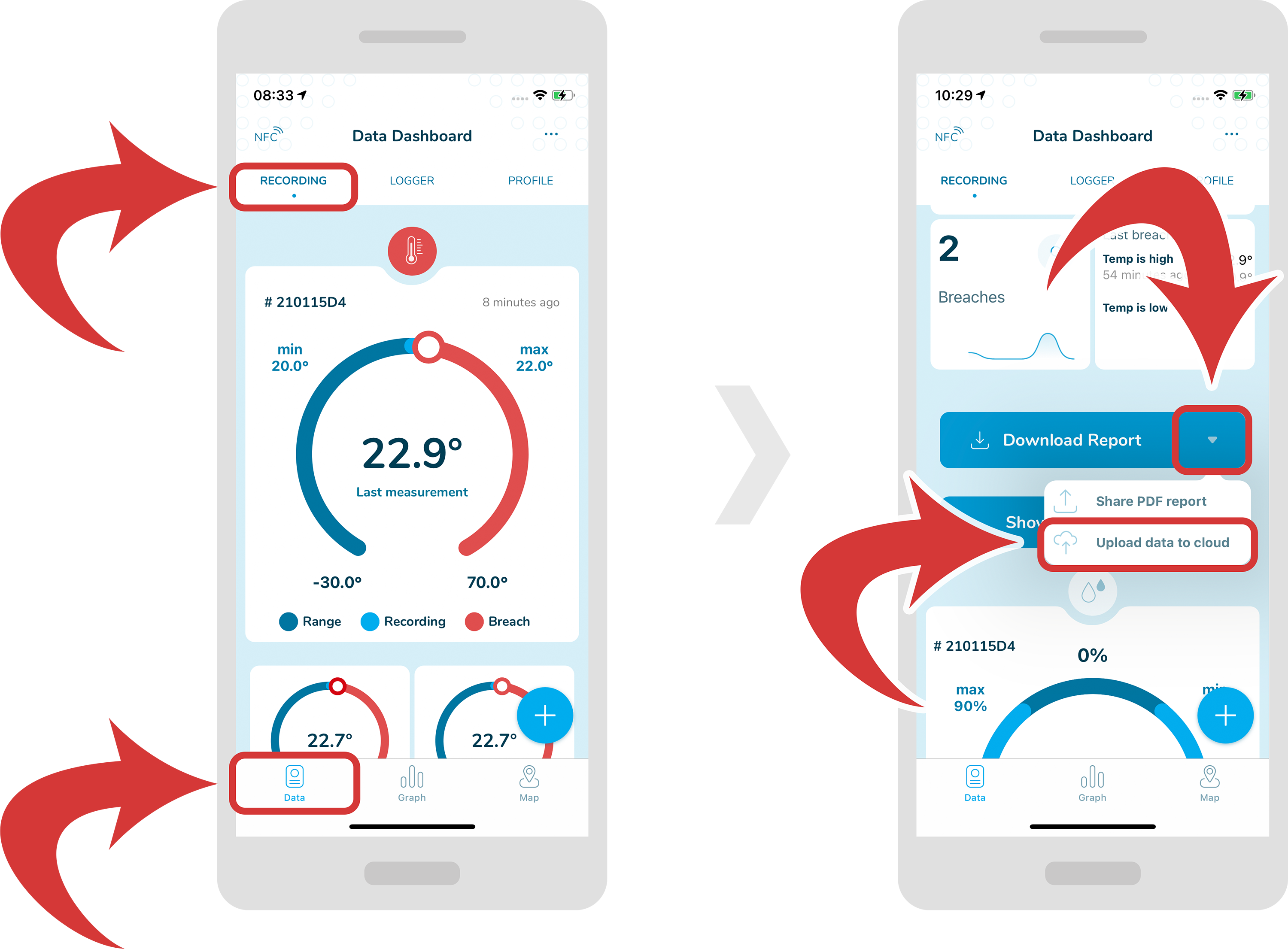
In order to upload data to the cloud, first make sure you are inside a “Data Dashboard” page and you have selected a “Recording” tab.
-
Now, scroll down and you should be able to see a “Download Report” button. Tap on the down arrow at the right of the button and from the dropdown menu select “Upload data to cloud”.
-
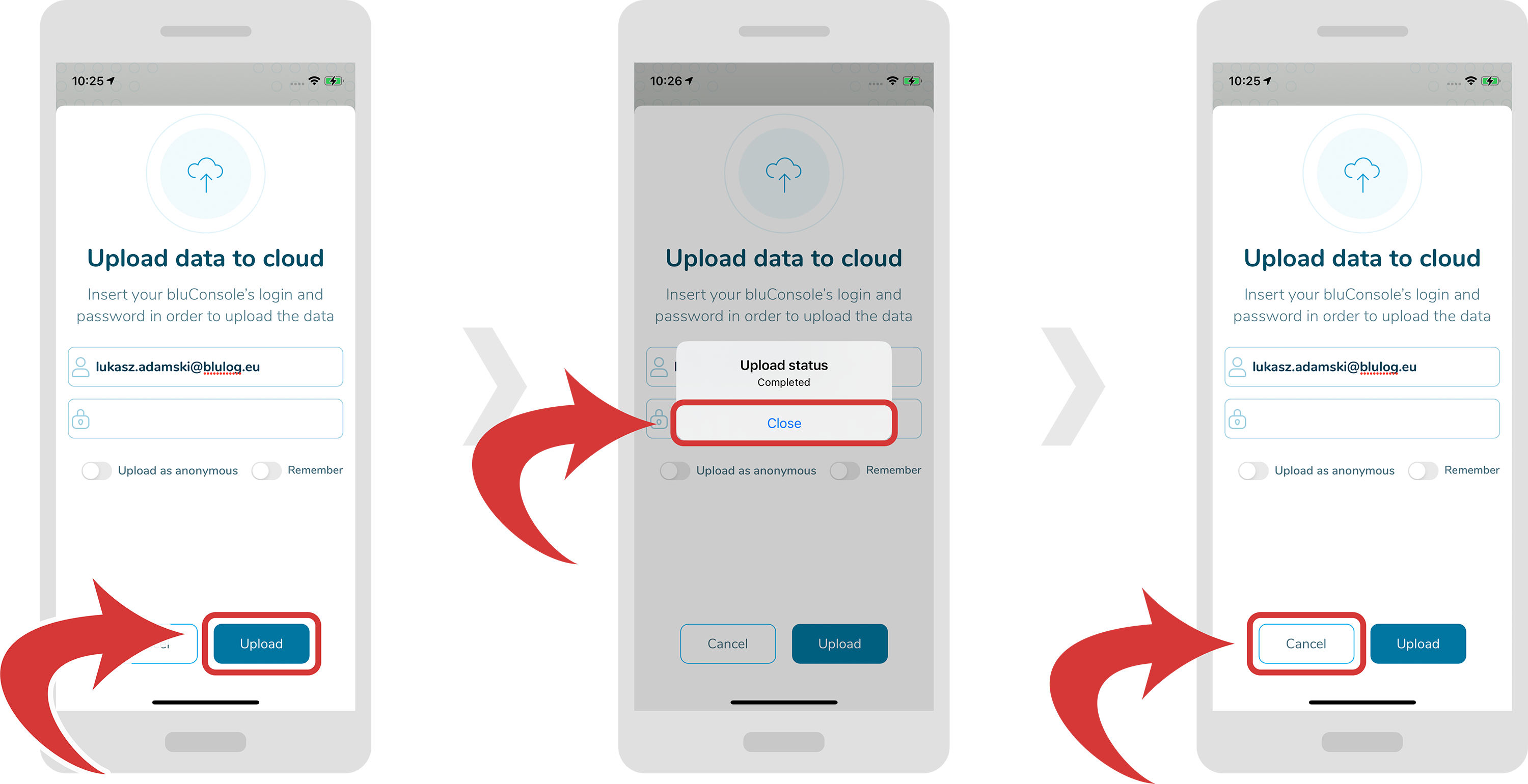
Now a new pop up should appear. Fill in your login details. You can also upload data as anonymous and remember your login details for later use.
-
Now tap on the “Upload” button and you should see a confirmation window pop up. In order to quit the upload window, tap on the “Cancel” button.